

Download Habbo Hotel – Free Online Pixel‑Art Social Chat, Virtual Rooms & Games
Welcome to the Pixel‑Perfect World of Habbo Hotel
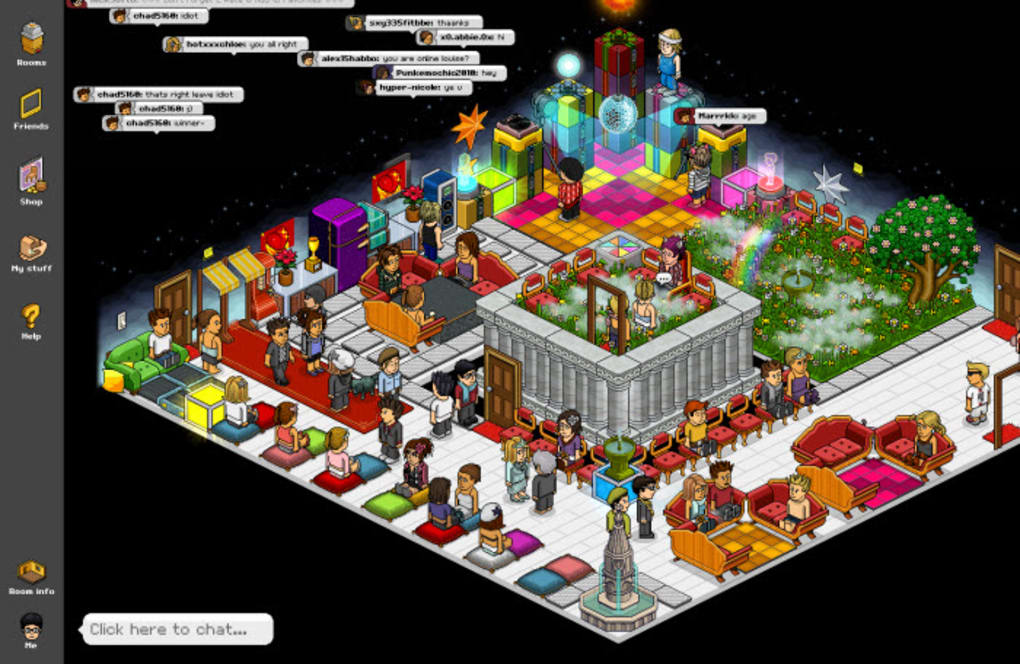
Step into a vibrant, pixel‑styled universe where millions of users gather to chat, create, and explore. Habbo Hotel isn’t just another social platform; it’s a living, breathing virtual hotel that blends retro graphics with modern community features. From bustling nightclubs and sunny pools to quiet garden lounges, every corner of the hotel invites you to meet new friends, join themed events, and express yourself through a fully customizable avatar.
The game’s core appeal lies in its balance of freedom and structure: you can wander public spaces, join group activities, or retreat to your own private room where you control every decorative detail. Whether you’re a teen looking for a safe place to chat, a nostalgic adult revisiting the early days of online social games, or a creative mind eager to design virtual interiors, Habbo Hotel offers a secure, moderated environment that respects all ages. The platform is free to download and play, with optional credits that unlock premium furniture, outfits, and special items—making it a flexible choice for casual users and power‑players alike.
In this review we’ll explore the main features, system requirements, installation steps, and the pros and cons that shape the overall experience, helping you decide if Habbo Hotel deserves a spot on your device.
Features & Compatibility – What Makes Habbo Hotel Stand Out
Core Gameplay Features
- Pixel‑art avatar creator with thousands of clothing, hair, and accessory options.
- Public rooms ranging from bars, nightclubs, and pools to seasonal event spaces.
- Private room editor that lets you purchase, place, and rotate furniture using in‑game credits.
- Real‑time chat with emojis, stickers, and safe‑mode filters for minors.
- Mini‑games and quests that reward users with exclusive items and experience points.
- Regular community events, contests, and holiday celebrations that keep the world fresh.
- Cross‑platform play – your avatar and inventory sync across Windows, macOS, Android, and iOS.
Technical Compatibility
Habbo Hotel runs smoothly on modern operating systems. The web version works with the latest versions of Chrome, Firefox, Safari, and Edge on Windows 10/11 and macOS 12 Catalina or later. For mobile users, the official Habbo app is available on Android 8.0 and up as well as iOS 13 or newer.
The platform leverages HTML5 and WebGL, ensuring that graphics load quickly without the need for additional plug‑ins. Minimum hardware requirements include a 2 GHz dual‑core processor, 2 GB RAM, and a graphics card supporting OpenGL 2.0. Because the game is primarily browser‑based, it also runs on low‑end laptops and tablets, though performance improves with faster internet connections (recommended 5 Mbps or higher) and dedicated GPU acceleration.
Security & Moderation
Safety is a top priority for Habbo Hotel. The platform employs automatic profanity filters, AI‑driven chat monitoring, and a team of human moderators who review reports around the clock. Parental controls allow guardians to restrict chat functions, limit purchases, and set play‑time limits. All user data is encrypted using TLS 1.2, and the service complies with GDPR and COPPA standards, giving peace of mind to families and individual players alike.
Installation, First Steps & Room Customization
How to Download and Install
Getting started with Habbo Hotel is straightforward. For desktop users, visit the official Habbo website, click the “Play Now” button, and allow the browser to load the HTML5 client. No additional installer is required; the game runs directly in the browser. Mobile users should open the App Store (iOS) or Google Play Store (Android), search for “Habbo Hotel,” and tap “Install.” The app size is approximately 150 MB, and the installation process typically completes within a few minutes on a standard 4G or Wi‑Fi connection.
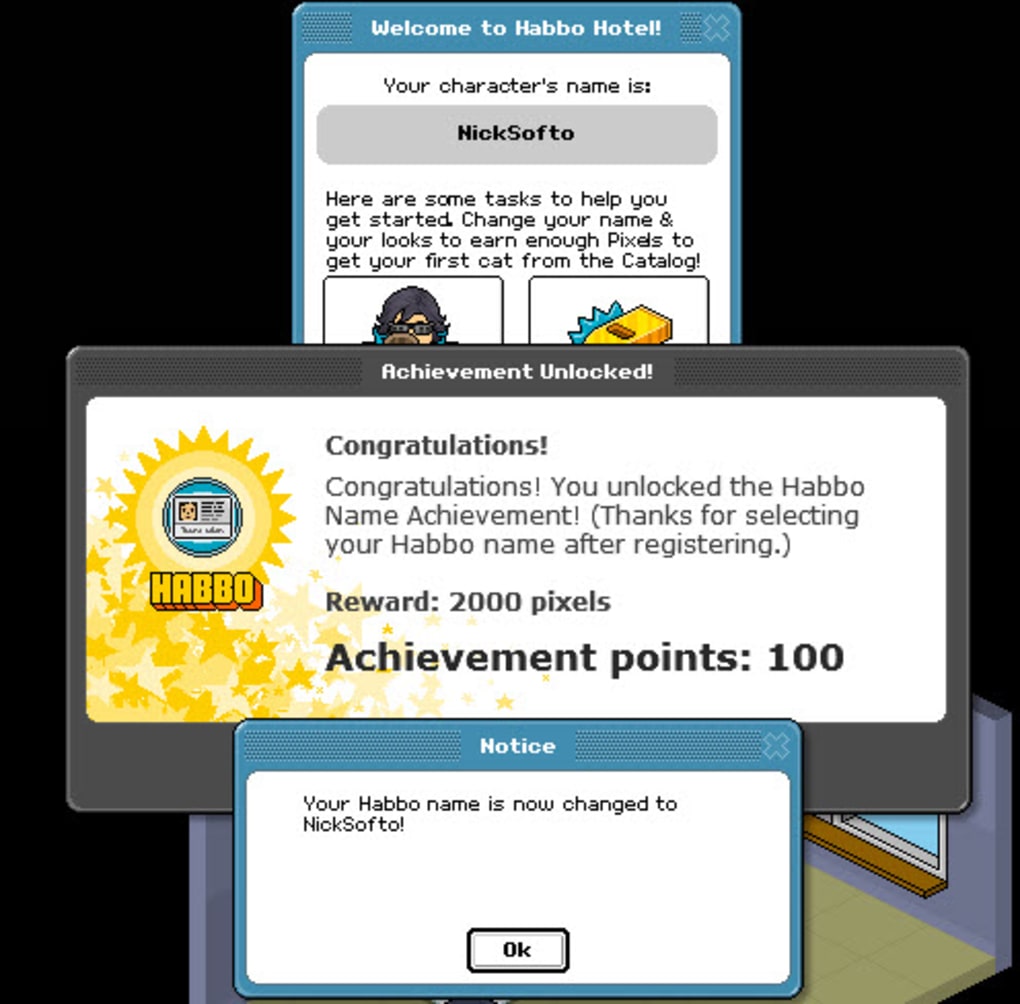
After installation, launch the client and create a new account using an email address or link a social login (Facebook, Google). A verification email will be sent to confirm your identity—a step that also unlocks the chat safety filters for younger users. Once verified, you’ll be prompted to design your first avatar. The avatar creator is intuitive: choose a gender, pick a body type, then explore categories like “Hair,” “Outfits,” “Accessories,” and “Emotes.” Every item is displayed with a preview, and you can instantly see how it looks on your character.
Exploring Public Spaces
Upon entering the hotel, you’ll find yourself in the main lobby—a bustling hub where newcomers gather. Use the map in the top‑right corner to navigate to different public rooms. Each space has a distinct theme and often hosts live events such as DJ nights, trivia contests, or seasonal celebrations. Interact with other avatars by clicking on them to open a private chat window, sending a quick “wave,” or joining a group conversation. The chat interface includes shortcuts for emojis, quick‑reply phrases, and a safe‑mode toggle that filters out potentially inappropriate language.
Designing Your Private Room
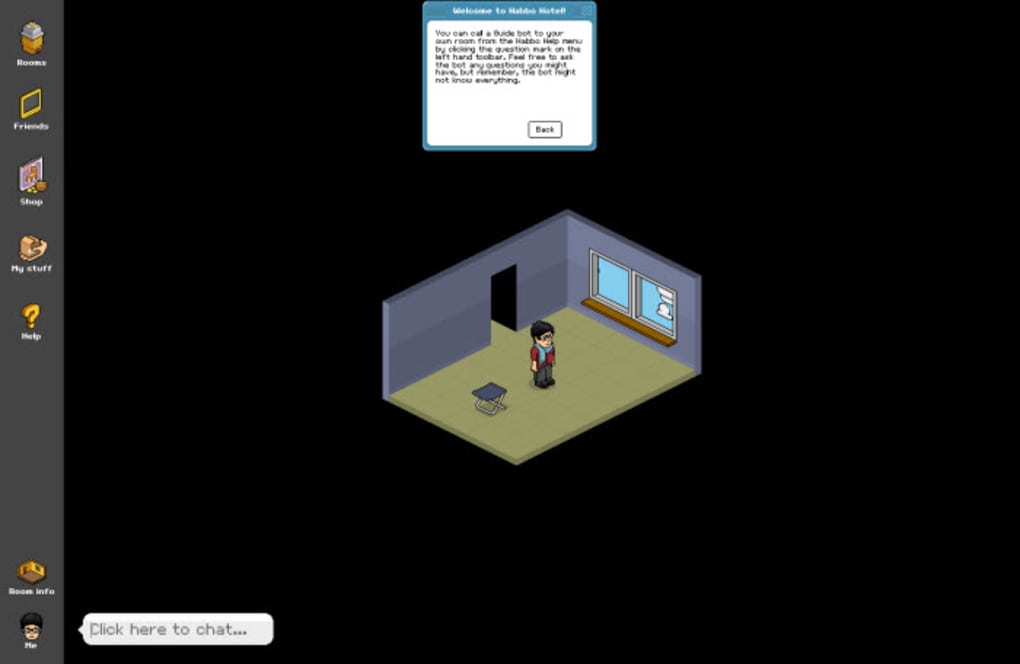
One of Habbo’s most beloved features is the private room editor. To claim a room, click the “My Room” button in the navigation bar and select a basic layout (studio, loft, garden, etc.). From there, you can purchase furniture and décor using credits, which are earned through quests, daily log‑ins, or real‑money purchases.
The editor offers a drag‑and‑drop interface: select an item from the catalogue, place it on the floor grid, rotate it with the mouse wheel, and fine‑tune its position using arrow keys. Items can be layered, allowing you to create depth and visual interest. You can also set room permissions—open to all visitors, invite‑only, or private—giving you full control over who can enter.
After decorating, save your design and invite friends by sharing a room code or sending a direct invite through the chat. The room becomes a personal showcase where you can host parties, run mini‑games, or simply relax with a view of your custom‑built virtual garden.
Pros, Cons & Frequently Asked Questions
Pros
- Free to start: No upfront cost; optional credits give flexibility for upgrades.
- Rich customization: Deep avatar and room design tools satisfy creative players.
- Cross‑platform: Seamless experience across Windows, macOS, Android, and iOS.
- Active community: Regular events and a large user base keep the world lively.
- Strong moderation: Robust safety features make it suitable for younger audiences.
Cons
- Micro‑transactions can become expensive for players seeking premium décor.
- Occasional server lag during peak hours, especially in popular public rooms.
- Chat language can be informal, which may not appeal to users seeking a professional environment.
- Some older browsers may require updates to fully support HTML5 features.
- Limited voice chat functionality—communication is primarily text‑based.
FAQ – Your Most Common Questions Answered
Is Habbo Hotel really free to play?
Yes, the core game is free. You can create an avatar, explore public rooms, and chat without spending a dime. Credits, which are purchased with real money, are optional and only needed for premium furniture, exclusive outfits, or special event items.
Can I play Habbo on my smartphone?
Absolutely. The Habbo app is available for Android 8.0+ and iOS 13+. Your avatar, inventory, and room designs sync automatically, so you can pick up where you left off on any device.
How safe is Habbo for children?
Habbo implements multiple safety layers: automated profanity filters, AI‑driven chat monitoring, and a 24/7 human moderation team. Parents can enable “Safe Mode,” restrict private messages, and set spending limits through the account settings.
Do I need a fast internet connection?
A stable connection of at least 5 Mbps is recommended for smooth navigation, especially in crowded public rooms or during live events. The game will still run on slower connections, but you may experience occasional lag or longer loading times.
Can I transfer credits between accounts?
No, credits are bound to the account that purchased them and cannot be transferred. However, you can gift specific items or room decorations to friends through the in‑game marketplace.
Final Thoughts – Should You Download Habbo Hotel?
Habbo Hotel remains a timeless piece of internet culture, offering a blend of nostalgic pixel art and modern social features. Its free‑to‑play model, extensive customization tools, and active community make it an appealing choice for anyone seeking a casual, creative outlet online. While micro‑transactions can add up for users who chase premium décor, they are never mandatory for enjoying the core experience. The platform’s cross‑device compatibility ensures you can stay connected whether you’re at a desktop or on the go, and its robust safety measures provide a reassuring environment for younger players.
If you enjoy meeting new people, designing virtual spaces, or simply want a safe chat environment that feels like stepping into a pixel‑perfect hotel lobby, Habbo is worth a download. Click the button below to start your adventure—create an avatar, claim a room, and discover why millions have called Habbo Hotel “home” for over two decades.
Download Habbo Hotel now and join the community!



.png)



